Why a Password manager?
Reading time 2 min 20 sec
TL;DR: Get yourself a password manager like 1Password, because:
- Your passwords are too simple
- You re-use some passwords
- Password managers include random password generators
- You only need to remember one password
- The amount of passwords to remember is against you
- Passwords will always be at the ready with device syncing
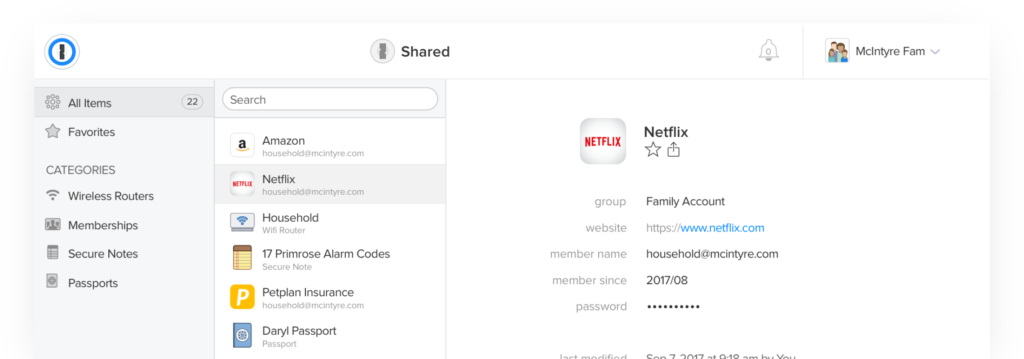
- You can securely share passwords in teams with 1Password
What why?
Safer Internet Day promotes the safe and positive use of digital technology for kids and inspires a national conversation about using technology responsibly, respectfully, critically, and creatively.
We think that digital literacy is essential, so we are celebrating even we know that you are not a kid.
Oh and by the way, this is not an advertisement for 1Password, and we don’t get paid when you sign up. We just really like 1Password, alternatives can be found at Watchyourhack.
Passwords
The biggest problem we encounter is lost, re-used, and unsafe passwords.
It makes sense to start using a smart way to solve this.
Password managers protect you by creating a solid and unique password for every service you use and removing your need to enter those passwords.
Most password managers protect your passwords with another password, commonly called a master password.
Stand-alone password managers will ask you to create a master password when you start using them.
Suppose you use Google’s Chrome browser to store your passwords and share them across devices. In that case, your passwords will be held by Google and protected by the password for your Google Account (along with any second factors you may be using).
Apple’s iCloud Keychain relies on your device passwords and unlocking features to protect its data but has a fallback master password called an iCloud Security Code.
A password manager will protect one individual and may harm another. Each person uses technology differently, has unique skills, and faces different risks.
But to be fair, when used right, password managers are the easiest way to implement a safe and secure way of storing your passwords.
What Using a Password Manager is Like
A password manager will take a load off your mind, freeing up brain power for doing productive things rather than remembering a long list of passwords.
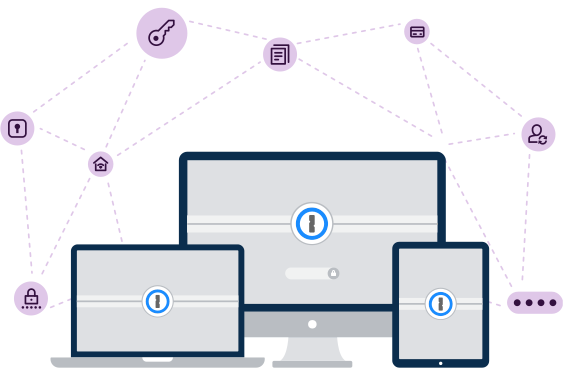
The password manager automatically fill forms, payment details, and passwords. Saves important documents like insurance and passports for safekeeping.
When you use a password manager and log into a website, you type your master password into the password manager, which automatically fills the login information into the website.
If you’re already logged into your password manager, it will automatically fill in the data for you.
You don’t have to think about what email address, username, and password you used for the website — your password manager does the work for you.
If you’re creating a new account, your password manager will offer to generate a secure random password for you, so you don’t have to think about that, either. It can also be configured to automatically fill information like your address, name, and email address into web forms.
And sync all of that across all your devices!
Why Browser-Based Password Managers Aren’t Ideal
Web browsers — Chrome, Firefox, Internet Explorer, and others — have integrated password managers.
Each browser’s built-in password manager can’t compete with dedicated password managers.
Chrome and Internet Explorer store your passwords on your computer in an unencrypted form. People could access the password files on your computer and view them.
Mozilla Firefox has a “master password” feature that encrypts your saved passwords with a single “master” password, storing them safely on your computer.
The browser password managers don’t help you generate random passwords, and they lack cross-platform syncing and in-app logins.
Recap
- Easy to set up
- Easy to work with
- All your passwords on all your devices
- more secure, flexible, and convenient than the password manager built in to your OS and browser
- Share logins with your family or co-workers
- Store more than just passwords
- Get alerts about password breaches and security issues
- Organize items using tags and categories
- Use 1Password as an authenticator
- Recover accounts for other family members
- Get expert email support
Want to read more?
Want to find good alternative password managers?
Are you worried your ex might have invaded your Facebook account?
That your computer is being held hostage by ransomware?
Or that hackers are pillaging your bank account?